Connect the plan
Bring goals, assessments, budgets, Roadmaps, initiatives, and SaaS visibility into one Customer Success view.

myITprocess alternative
Move from reactive service to strategic impact
myITprocess connects assessments to roadmaps and budgets only within the Kaseya stack. Lifecycle Manager goes further: it helps MSPs bring Goals, Meetings, Assessments, Budgets, Roadmaps, Initiatives, SaaS visibility, and recommendations into one connected workspace that runs your entire Customer Success motion.
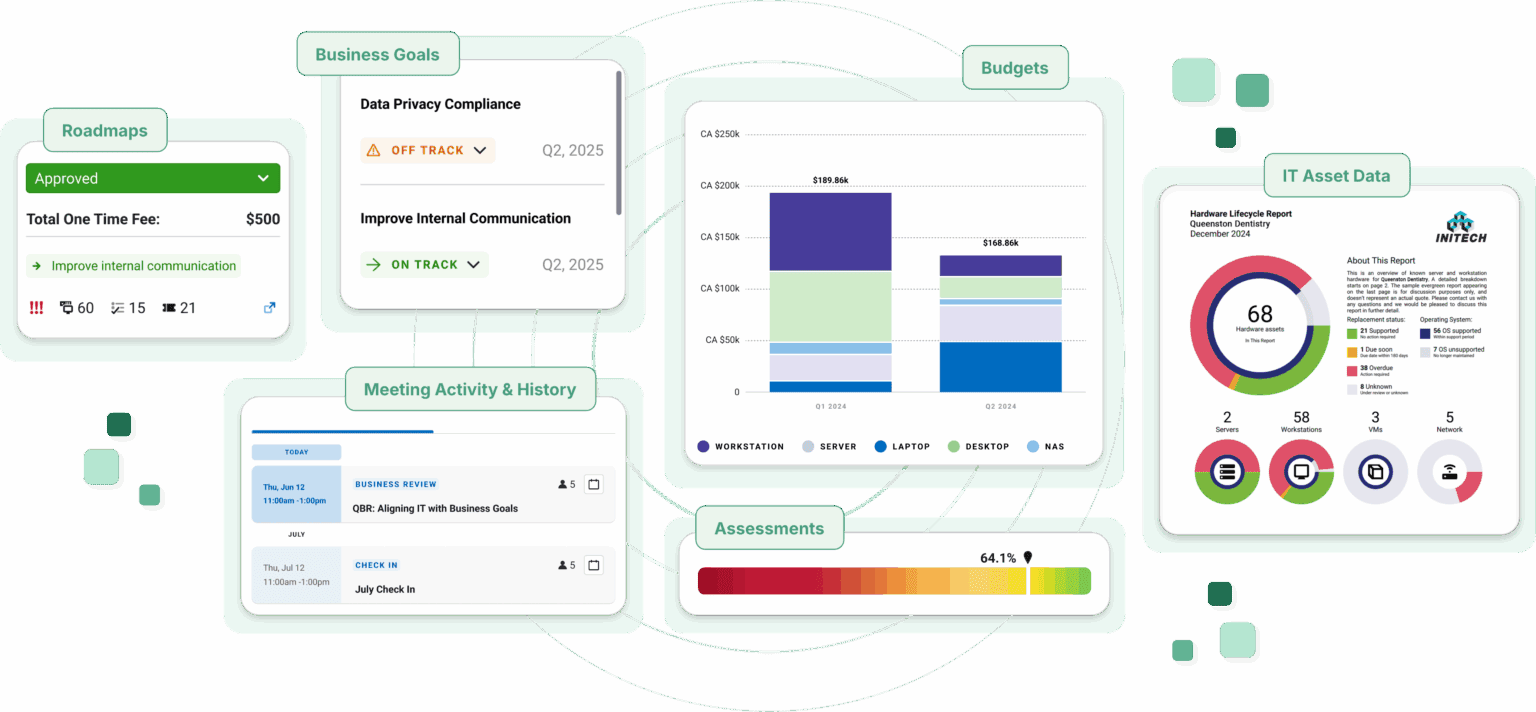
The best client engagement system should adapt to your team, your stack, and the conversations your clients need. Lifecycle Manager unifies client data so MSPs can easily prepare, plan, report, and drive outcomes.
Rigid assessment motions
A rigid, one-size-fits-all assessment framework acts as a bottleneck preventing you from adapting to the unique maturity, industry and business priorities of your diverse client base.
Flexible assessments
Lifecycle Manager supports a flexible assessment motion so teams can capture better context, tailor responses, and turn findings into client-ready next steps.
Limited integrations
Integrations are limited - they connect only with their own products and even high-level data isn’t actionable or adds value, leading to significant time wasted in parsing out information.
Vendor-neutral Customer Success
Lifecycle Manager is vendor-neutral with 45+ integrations including Kaseya’s so your client strategy isn't locked into one vendor. Plus, with our built-in SaaS Management and CSAT tools, stop paying separate app visibility and client survey tools that can run up to $6,000 a year.
Lack of SaaS coverage
SaaS coverage focused on license usage and backup reporting leaves shadow IT, shadow AI, and SaaS utilization out of a proper planning conversation.
LM SaaS visibility
Lifecycle Manager brings SaaS usage visibility into the Customer Success motion so app risk, spend, and adoption can help shape the client plan.
Complex QBR
Complex, time-consuming setup and maintenance strain small teams, while manually assembled QBRs can leave clients making decisions based on outdated data.
Client-ready QBRs
Lifecycle Manager auto-generates client-ready QBRs from real-time data, allowing clients to easily review and approve recommendations quickly.
Budgets tied to limited inputs
Budgets show what needs to be replaced but there’s no native procurement to actually purchase them.
Goals, budgets, Roadmaps, and initiatives
Lifecycle Manager helps teams source and purchase replacements in one place - so it becomes an executed plan, not just a list.
No AI strategy
myITProcess has no AI strategy. There’s no Copilot, no MCP and no AI features anywhere in the current product - assessment data, roadmaps, and QBR content are still assembled and interpreted manually.
Copilot and MCP
Lifecycle Manager's Copilot turns insights into action by summarizing client history, surfacing opportunities, and automating repetitive work—so teams can focus on strategy, less on admin work.
Slow release velocity
Latest feature releases have been focused on adding QBR templates or adding multilingual support, but the underlying work of assembling a QBR continues to stay manual.
LM product roadmap
Lifecycle Manager goes beyond asset management and QBRs with a redesigned interface, expanding automation and integrations, and 20+ releases and enhancements shipped just mid-year alone.
Lifecycle Manager advantage
Lifecycle Manager gives MSPs a cleaner way to standardize client reviews, connect planning data, and lead conversations that make the value of your work visible.
Bring goals, assessments, budgets, Roadmaps, initiatives, and SaaS visibility into one Customer Success view.
Give account managers and vCIOs a repeatable way to prepare for client meetings without rebuilding context every time.
Turn recommendations, risks, app usage, and strategic priorities into client-ready reports and conversations.
Customer Success workflow
Lifecycle Manager helps MSPs move from assessment findings to meetings, budgets, initiatives, Roadmaps, and SaaS management conversations that drive client outcomes.
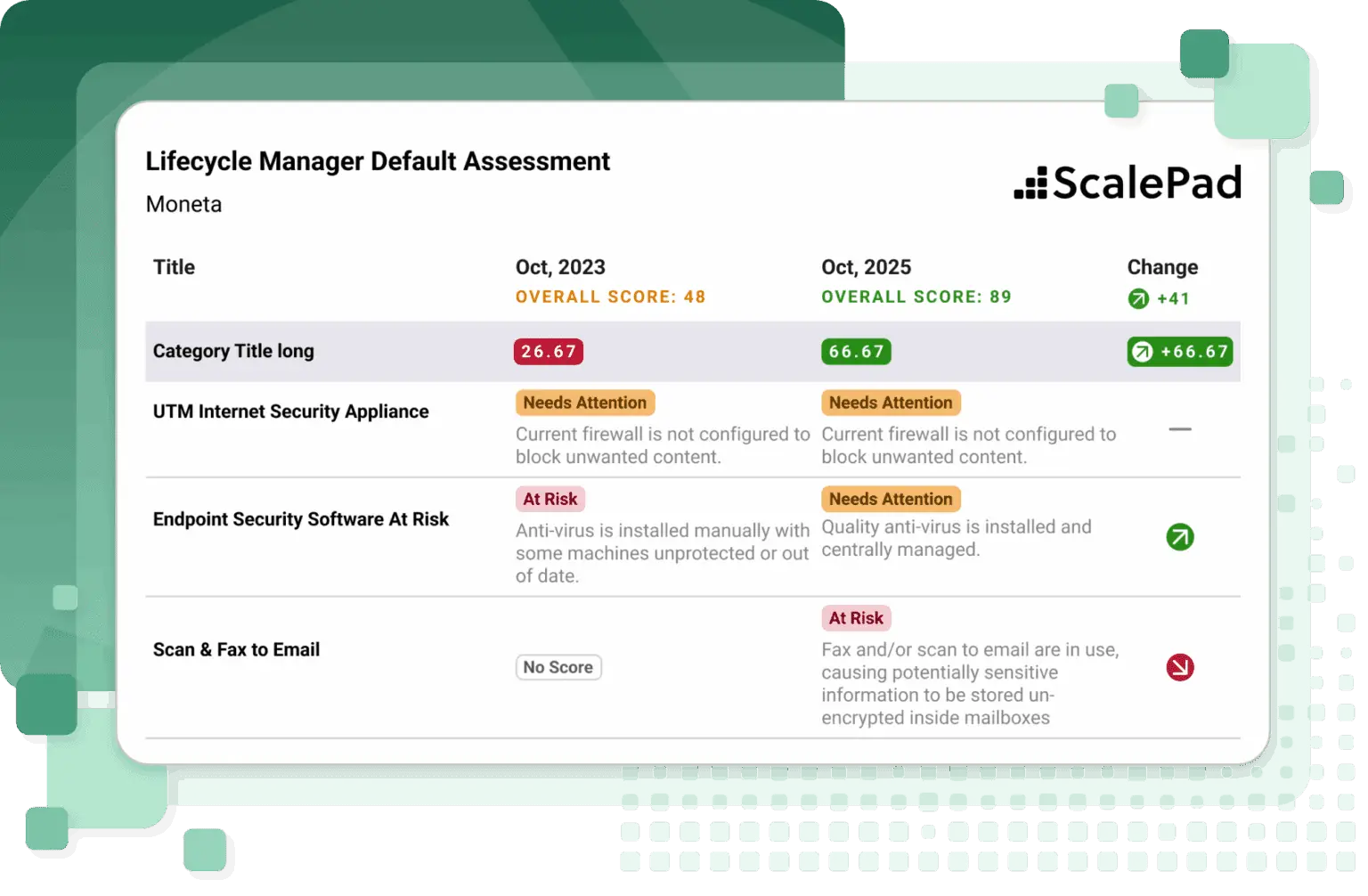
Translate client context and findings into the next actions your team can explain and own.
Connect strategic priorities to timing and investment so clients understand what to approve and why.
Surface shadow IT, shadow AI, and SaaS utilization so app risk and spend become part of the client strategy.
Platform advantage
Lifecycle Manager is part of the ScalePad Platform, so MSPs can use APIs, MCP, and recipes to turn Customer Success context into workflows, automations, and AI-assisted work including our latest AI Copilot.
Connect Lifecycle Manager context to reporting, automation, and the systems your MSP already runs.
Chat with the ScalePad Platform and use approved data to answer questions, pull context, and trigger the next step.
Use recipes to operationalize repeatable Customer Success motions across ScalePad products and connected tools.
Lifecycle Manager easily integrates and syncs with all of the tools in our stack, allowing our team to focus on our clients instead of combing through duplicated data. The reports are fantastic and make communicating hard data super easy.
Stacy Kulhanek
Operations Manager, NetSource One
Next step
Get a personalized look at how Lifecycle Manager helps MSPs standardize client meetings, connect assessments to strategy, manage goals and budgets, and uncover SaaS and AI app usage.
FAQ