Easier adoption across roles
Help AMs, vCIOs, and executives participate in the process without needing a power-user workflow.

Strategy Overview alternative
Power-user flexibility is not the same as a scalable team workflow.
Strategy Overview gives teams deep customization, but too much freedom can make client strategy harder to standardize. Lifecycle Manager gives MSPs a cleaner, more repeatable Customer Success motion that AMs, vCIOs, and executives can adopt.
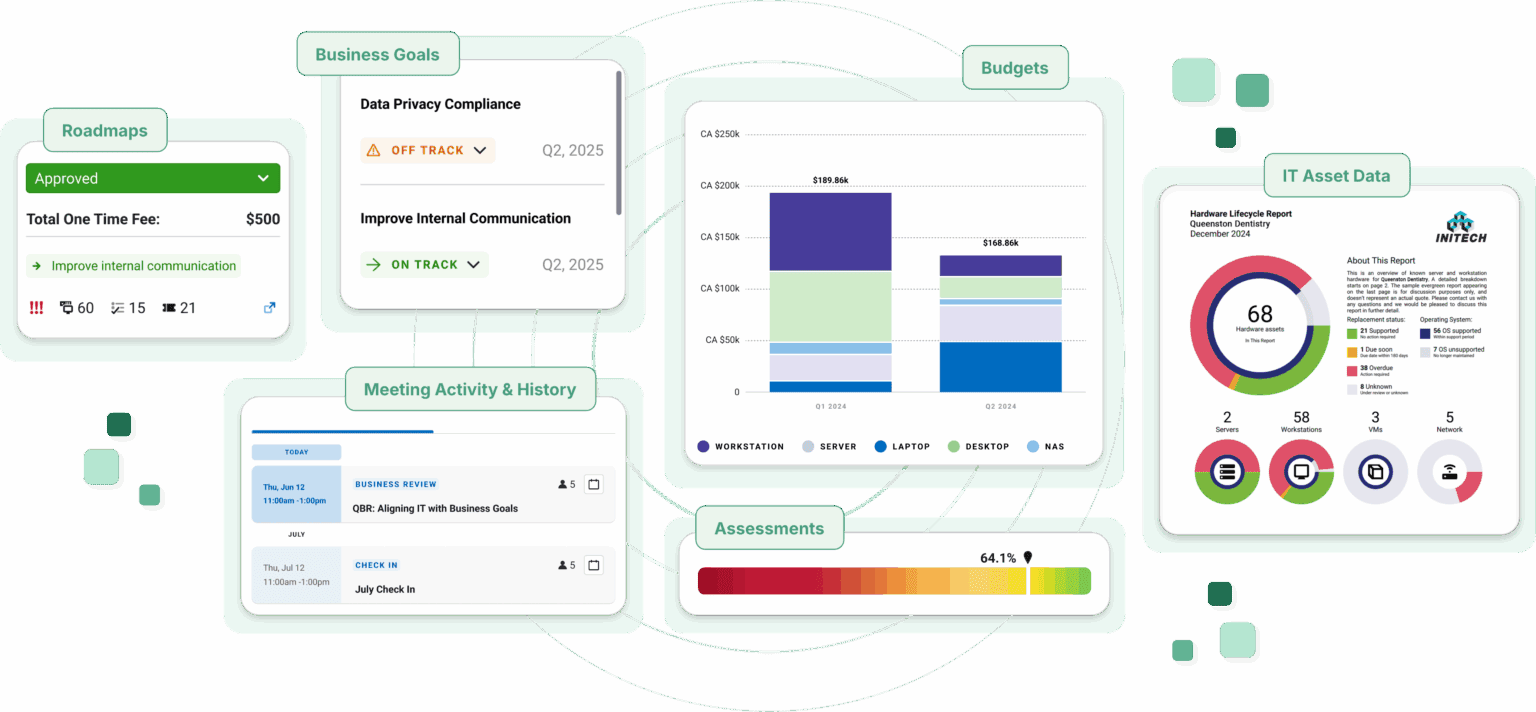
When a tool rewards tinkering more than team adoption, growth gets messy. Lifecycle Manager keeps client strategy structured, polished, and easier to operationalize across the whole team.
Spreadsheet-style workspace
A highly flexible interface can feel overwhelming when regular users need fast, consistent execution.
Structured Customer Success workflow
Lifecycle Manager gives teams a cleaner path through goals, meetings, assessments, budgets, Roadmaps, initiatives, recommendations, and reporting.
Over-customization can break consistency
When every client is configured differently, templates, reporting, and process changes become harder to manage across the book of business.
Standardization without losing flexibility
Lifecycle Manager supports repeatable workflows and client-ready output while still giving teams room to adjust the plan.
Manual setup, formatting, and budget work
Manual formatting and budget construction slow down the people trying to deliver strategy consistently.
Cleaner path from assessment to action
Lifecycle Manager helps teams move from assessment to meeting to budget to Roadmap to initiative with less manual assembly.
Limited operational connection
Strategy work loses force when it stays isolated from the systems and signals teams use to guide clients.
Customer Success context in one motion
Lifecycle Manager brings client goals, meetings, analytics, SaaS utilization, Roadmaps, budgets, and recommendations into one operating rhythm.
SaaS and AI visibility can be missing
A strategy workflow is incomplete if shadow IT, shadow AI, and SaaS utilization are not surfaced for client planning.
Shadow IT, shadow AI, and utilization insight
Lifecycle Manager adds SaaS visibility so app risk, spend, and adoption can shape the strategy conversation.
Lifecycle Manager advantage
Lifecycle Manager gives MSPs the structure, polish, and ease of use to operationalize strategic client work across account managers, vCIOs, and leadership.
Help AMs, vCIOs, and executives participate in the process without needing a power-user workflow.
Produce reports, Roadmaps, budgets, and recommendations that are easier to present and approve.
Keep goals, meetings, assessments, initiatives, and SaaS insights organized across every client.
Customer Success workflow
Lifecycle Manager helps teams turn assessments, goals, budgets, Roadmaps, initiatives, and SaaS visibility into a structured planning experience clients can understand.
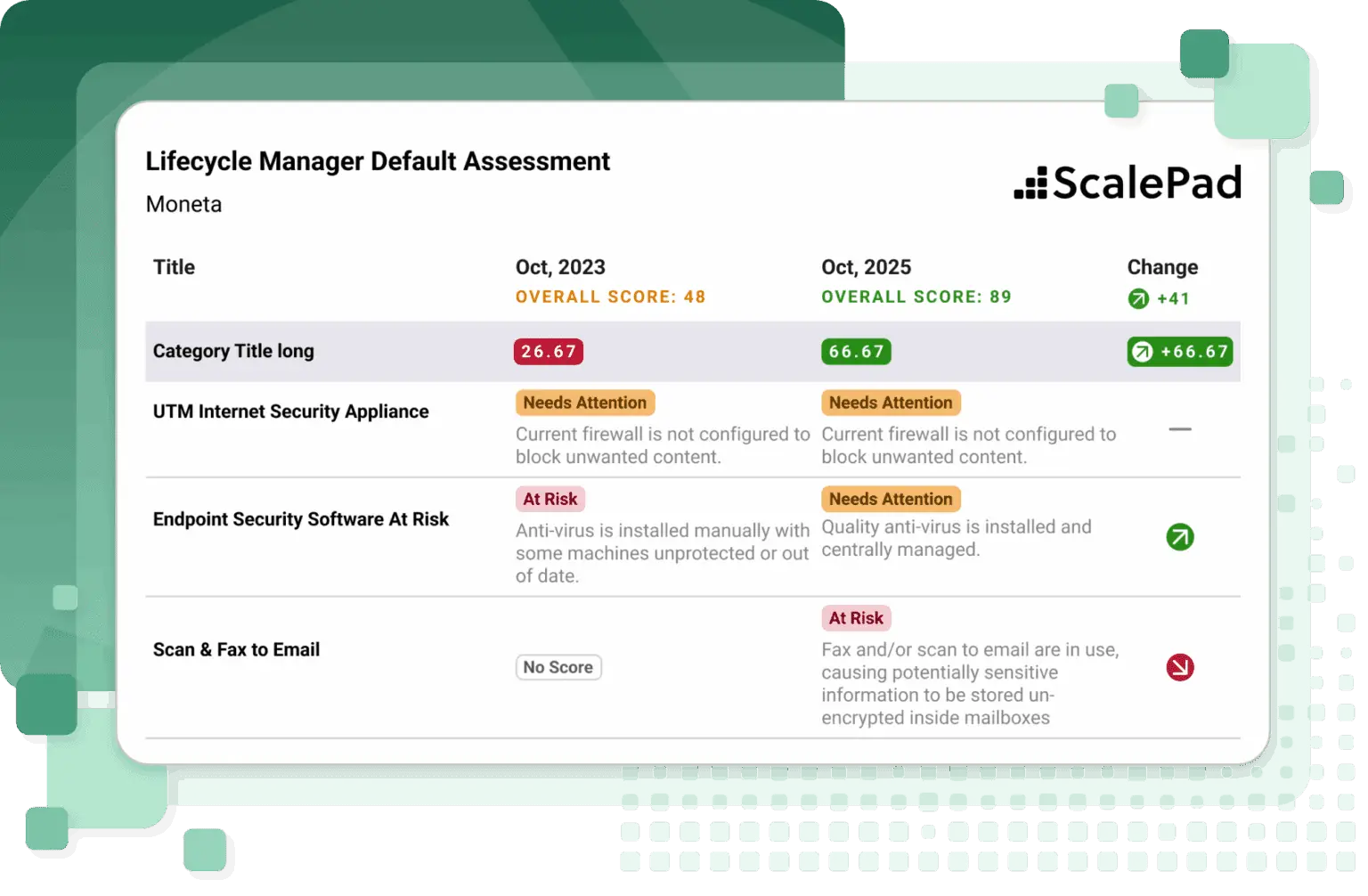
Capture client context and turn findings into the next strategic conversation.
Give clients a clear view of priorities, timing, investment, and business outcomes.
Surface shadow IT, shadow AI, and SaaS utilization so app risk and spend are visible during planning.
Platform advantage
Lifecycle Manager is part of the ScalePad Platform, so MSPs can use APIs, MCP, and recipes to turn Customer Success context into workflows, automations, and AI-assisted work.
Connect Lifecycle Manager context to reporting, automation, and the systems your MSP already runs.
Chat with the ScalePad Platform and use approved data to answer questions, pull context, and trigger the next step.
Use recipes to operationalize repeatable Customer Success motions across ScalePad products and connected tools.
Lifecycle Manager easily integrates and syncs with all of the tools in our stack, allowing our team to focus on our clients instead of combing through duplicated data. The reports are fantastic and make communicating hard data super easy.
Stacy Kulhanek
Operations Manager, NetSource One
Next step
Get a personalized look at how Lifecycle Manager helps MSPs standardize Customer Success workflows, reduce manual vCIO work, and make client strategy easier to repeat.
FAQ