Cleaner execution
Give customer-facing teams a clearer way to prepare meetings, present recommendations, and follow through.

vCIO Toolbox alternative
vCIO Toolbox covers the basics. Lifecycle Manager gives MSPs a workflow teams can grow with.
vCIO Toolbox can support lighter advisory work, but MSPs need more than a basic vCIO tool when they are scaling strategic account management. Lifecycle Manager gives teams cleaner execution, better insight, and a more complete Customer Success workflow.
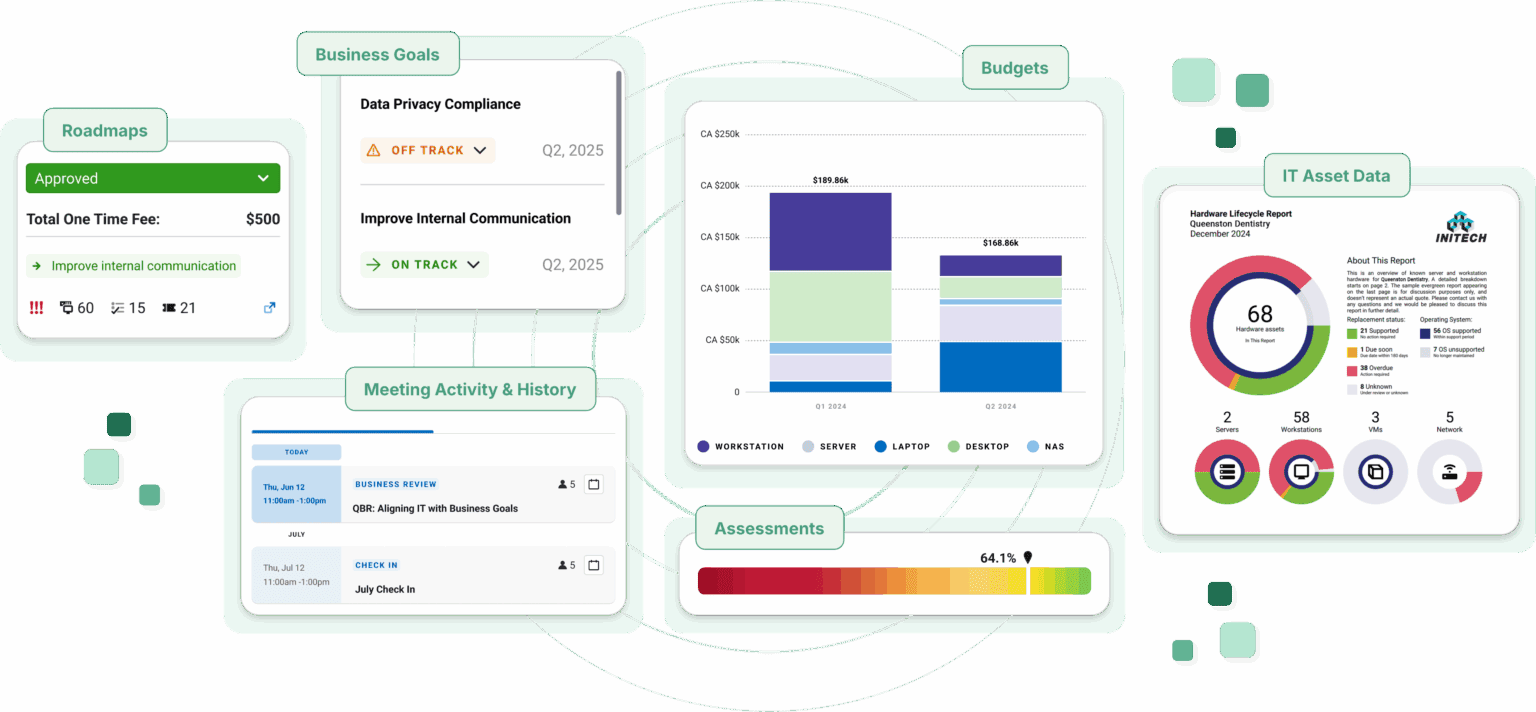
Adoption depends on day-to-day usability. Lifecycle Manager helps busy AMs and vCIOs work from a clearer system for meetings, goals, assessments, budgets, Roadmaps, initiatives, and SaaS management.
A lighter vCIO tool
A basic advisory tool can leave gaps when MSPs need strategy, reporting, analytics, and follow-through to work together.
Complete Customer Success workflow
Lifecycle Manager connects goals, meetings, assessments, budgets, Roadmaps, initiatives, recommendations, and reports in one motion.
Clunky tools slow adoption
When the interface is hard to work in, busy customer-facing teams are less likely to make the tool part of their process.
Cleaner day-to-day execution
Lifecycle Manager is built to help AMs, vCIOs, and leaders prepare, present, and follow up with less friction.
Thinner insight support
Strategic account management needs more than static review material when teams are trying to understand client health and priorities.
Stronger Customer Success insight
Lifecycle Manager supports client context, analytics, reporting, and planning workflows that make the next conversation clearer.
Basics without the broader operating model
A narrow vCIO tool can miss the process maturity needed to drive consistent client outcomes.
Assessments, budgets, Roadmaps, and initiatives
Lifecycle Manager helps teams turn findings into plans clients can discuss, approve, and revisit over time.
App usage can stay outside the strategy
Modern client strategy needs visibility into shadow IT, shadow AI, and SaaS utilization, not just advisory checklists.
SaaS management inside the CS motion
Lifecycle Manager surfaces SaaS visibility so app risk, spend, and adoption become part of the client plan.
Lifecycle Manager advantage
Lifecycle Manager gives MSPs a system that makes strategy easier to run, easier to repeat, and easier for clients to understand.
Give customer-facing teams a clearer way to prepare meetings, present recommendations, and follow through.
Bring client context, reporting, analytics, goals, and SaaS visibility into the planning conversation.
Connect assessments, budgets, Roadmaps, initiatives, and recommendations so strategy becomes repeatable.
Customer Success workflow
Lifecycle Manager helps teams connect assessment findings, meeting context, goals, budgets, Roadmaps, initiatives, and SaaS management into client-ready plans.
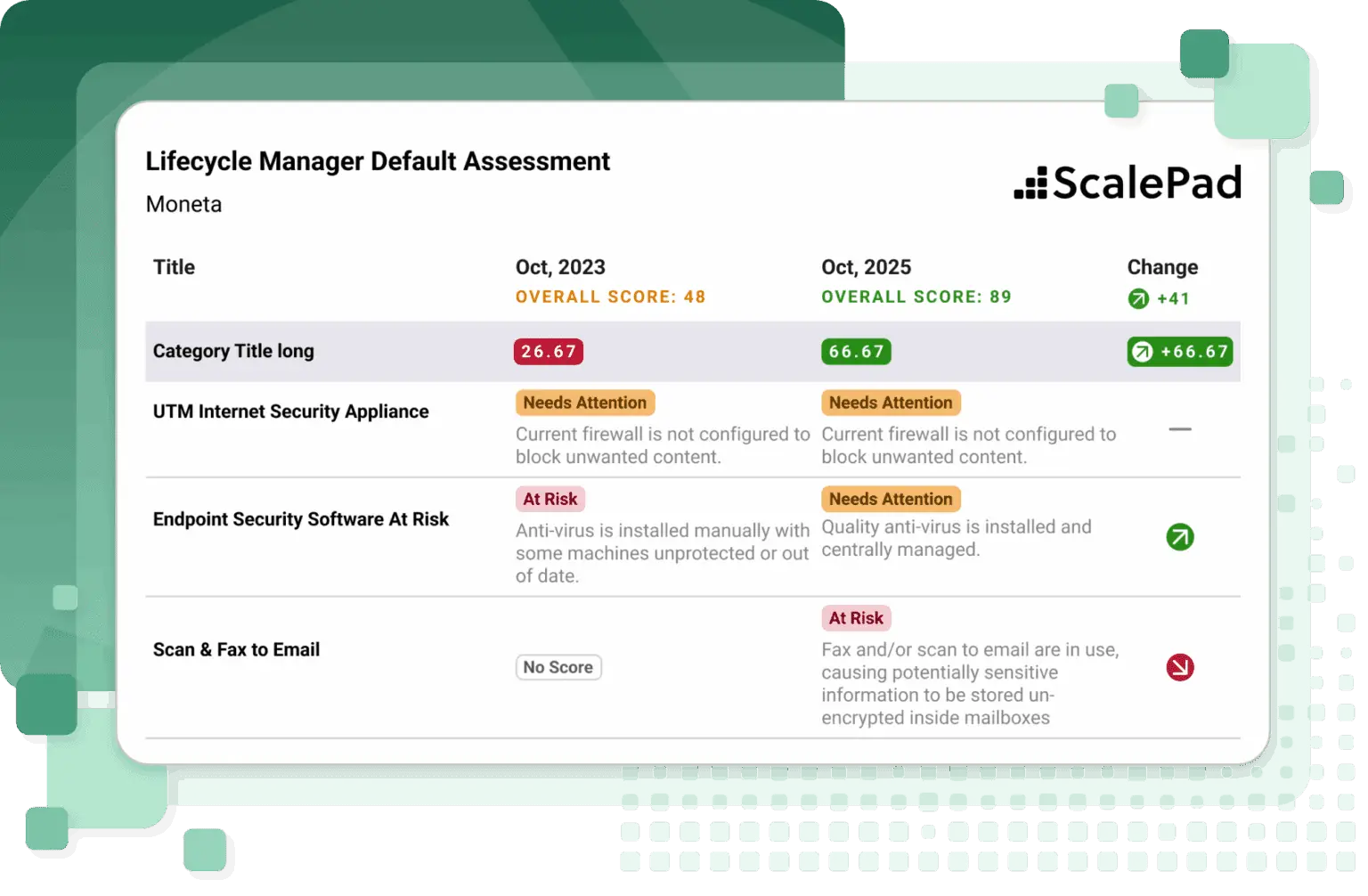
Keep client conversations tied to outcomes, priorities, and action items.
Turn findings into strategic plans clients can understand and approve.
Expose shadow IT, shadow AI, and SaaS utilization so app risk and spend are visible.
Platform advantage
Lifecycle Manager is part of the ScalePad Platform, so MSPs can use APIs, MCP, and recipes to turn Customer Success context into workflows, automations, and AI-assisted work.
Connect Lifecycle Manager context to reporting, automation, and the systems your MSP already runs.
Chat with the ScalePad Platform and use approved data to answer questions, pull context, and trigger the next step.
Use recipes to operationalize repeatable Customer Success motions across ScalePad products and connected tools.
Lifecycle Manager easily integrates and syncs with all of the tools in our stack, allowing our team to focus on our clients instead of combing through duplicated data. The reports are fantastic and make communicating hard data super easy.
Stacy Kulhanek
Operations Manager, NetSource One
Next step
Get a personalized look at how Lifecycle Manager helps MSPs move beyond basic vCIO tooling and operationalize Customer Success across the team.
FAQ