



Your best client motion shouldn't live in someone's calendar, a spreadsheet, or the memory of the advisor who owns the account.
Playbooks, a new add-on for ScalePad CS, turns it into a repeatable, scheduled program that you can run by segments or my accounts. Define the service once, and ScalePad CS creates the work at the right time, assigns it to the right person, and tracks what's done, late, or stuck - right where your team already works.
Build Your Service Once
Create a Playbook that captures how you want to run a client relationship: what happens, when, in what order, and who's responsible. Mix five kinds of steps (Tasks, Meetings, Assessments, Deliverables, and Roadmap reviews), each built from the templates you already use.
Why Is This Important?
- Define the standard once. Build a "Strategic Client" Playbook with a kickoff meeting, a baseline assessment in month one, a QBR every quarter, a Deliverable draft ahead of each QBR, and an annual roadmap review.
- Schedule it your way. Steps can run once or repeat every few weeks, months, or years, on a set day and time. Programs can run for up to five years, long enough to cover a multi-year client strategy.
- Assign owners by role. Assign each step to a specific person or to a client-team role, like the vCIO or account manager. When someone new takes over a client, future work goes to them automatically.
- Start from proven templates. Get started with 15 MSP-ready Task Templates covering IT strategy, asset lifecycle, backup and continuity, security, AI governance, SaaS access, and technology budgeting. Roadmap Templates lay out Goals and Initiatives in the right quarters from day one.
Start It for One Client or All
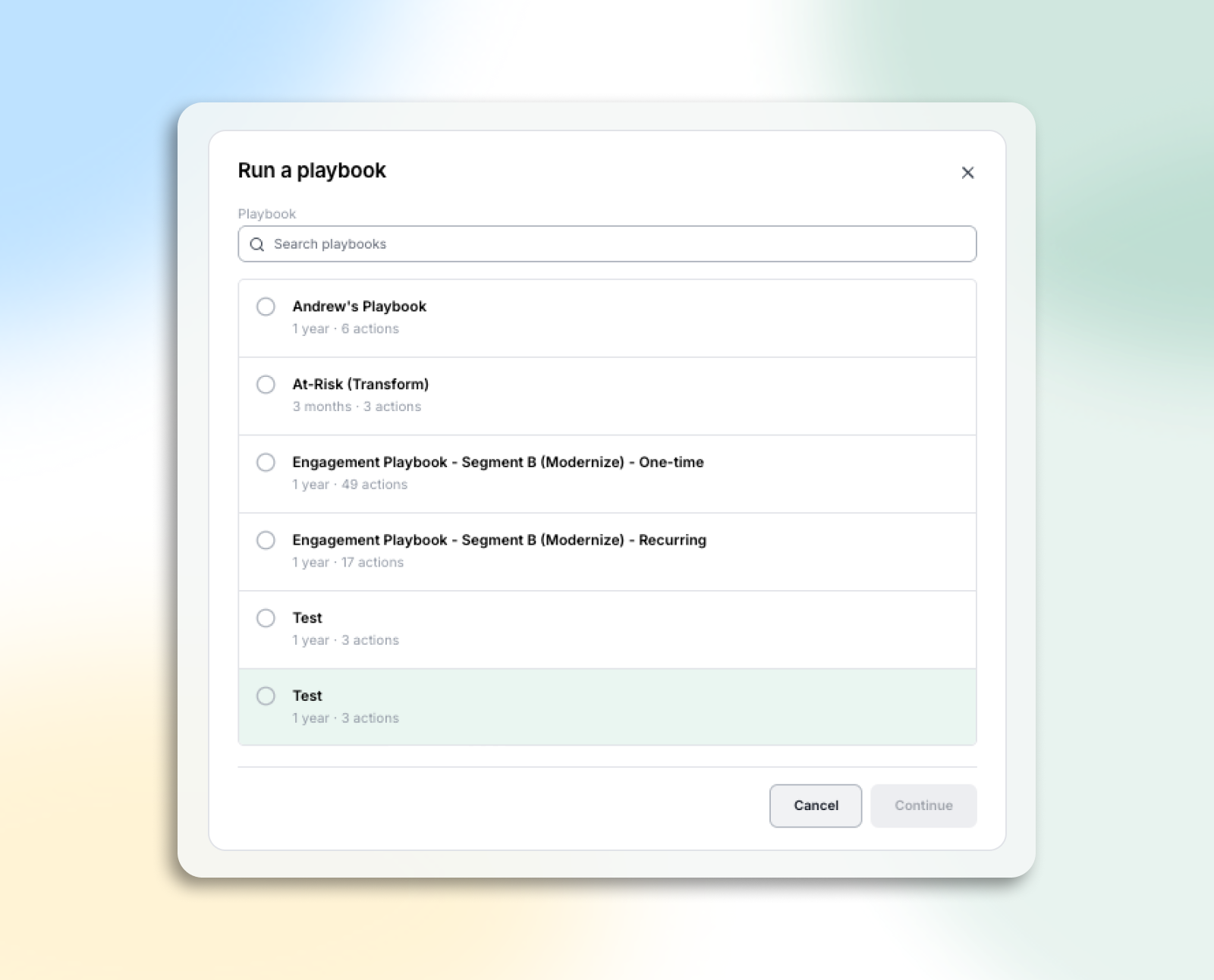
Once a Playbook is published, start it for a single client or roll it out across your whole top tier in one step. Before anything happens, you'll see exactly what will be created, when, and for whom.
Why Is This Important?
- Preview before you commit. Every start shows the upcoming work, owners, warnings, and blockers before you confirm. Nothing is created until you say go.
- Roll out to every client at once. Use your standard client filters, including "never run this Playbook," to select up to 4,000 clients, preview the batch, and confirm.
- Meet clients where they are. Start a client partway through a program—for example, one who's already had their kickoff—without pretending earlier work happened.
- Stay in control. Pause, resume, skip, catch up on a missed step, or change who owns future steps at any time. Published Playbooks never change behind your back, and existing work is never altered or deleted.
See Whether the Service Is Actually Being Delivered
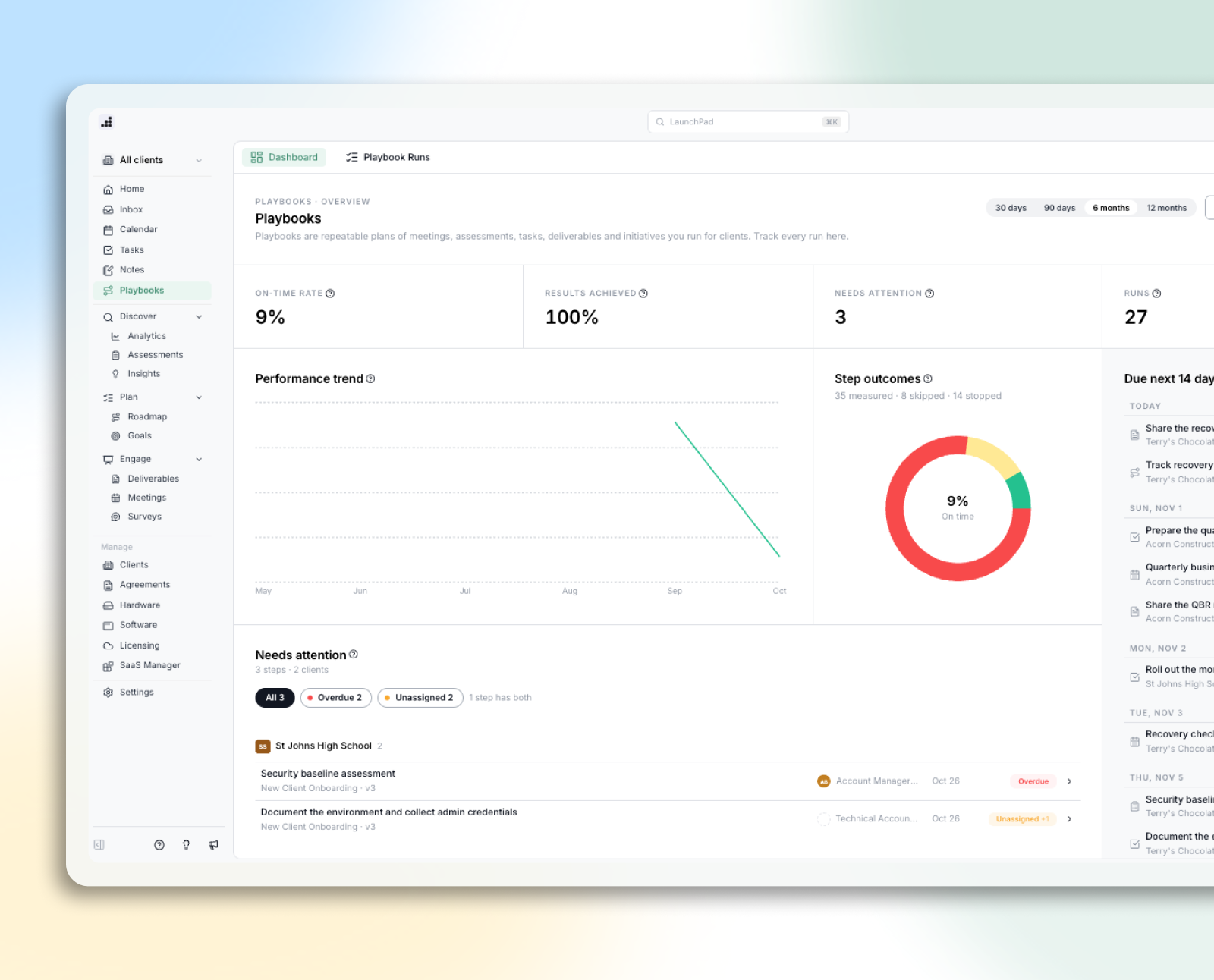
The Playbooks Dashboard shows leaders how your client programs are running across the whole client base, so slipping work gets attention before the client notices.
Why Is This Important?
- Know your on-time rate. See how many scheduled steps happened on time or late, or were missed, and how that trend changes over time.
- Act on what needs you. A "needs you" list shows blocked, unassigned, missed, and overdue work, grouped by client.
- Prove the value of your services. Give each program an intended outcome, like "Reduce the client's critical security risks by the next renewal," and record whether it was Achieved, Partially achieved, or Not Achieved.
- Connect the work to the contract. Link a program to the Agreement and line items it delivers against, so renewal conversations start with evidence of what the client received.
Turn Your Best Client Motion Into Your Standard
Building a Playbook defines the service. Starting it puts that service on a schedule for every client. The dashboard shows you it's happening. Together, they enable every advisor to deliver the same high standard of service, give new hires a proven process on day one, and help you scale strategic services without adding headcount. Your advisors still lead every client conversation. Playbooks make sure those conversations happen.
Available Now
Want to see Playbooks in action in ScalePad CS? Log into the platform or book a demo today.