



Most MSPs know their QBRs should be happening, their roadmaps should be moving, and their assessments should be getting done. Proving it usually means chasing spreadsheets, pinging account managers, and stitching reports together before every team meeting. The new Performance Dashboard turns the work your team already does in ScalePad CS into a shared scoreboard, so you can see what was delivered, coach where it matters, and show what your strategic services program is worth.
What’s new
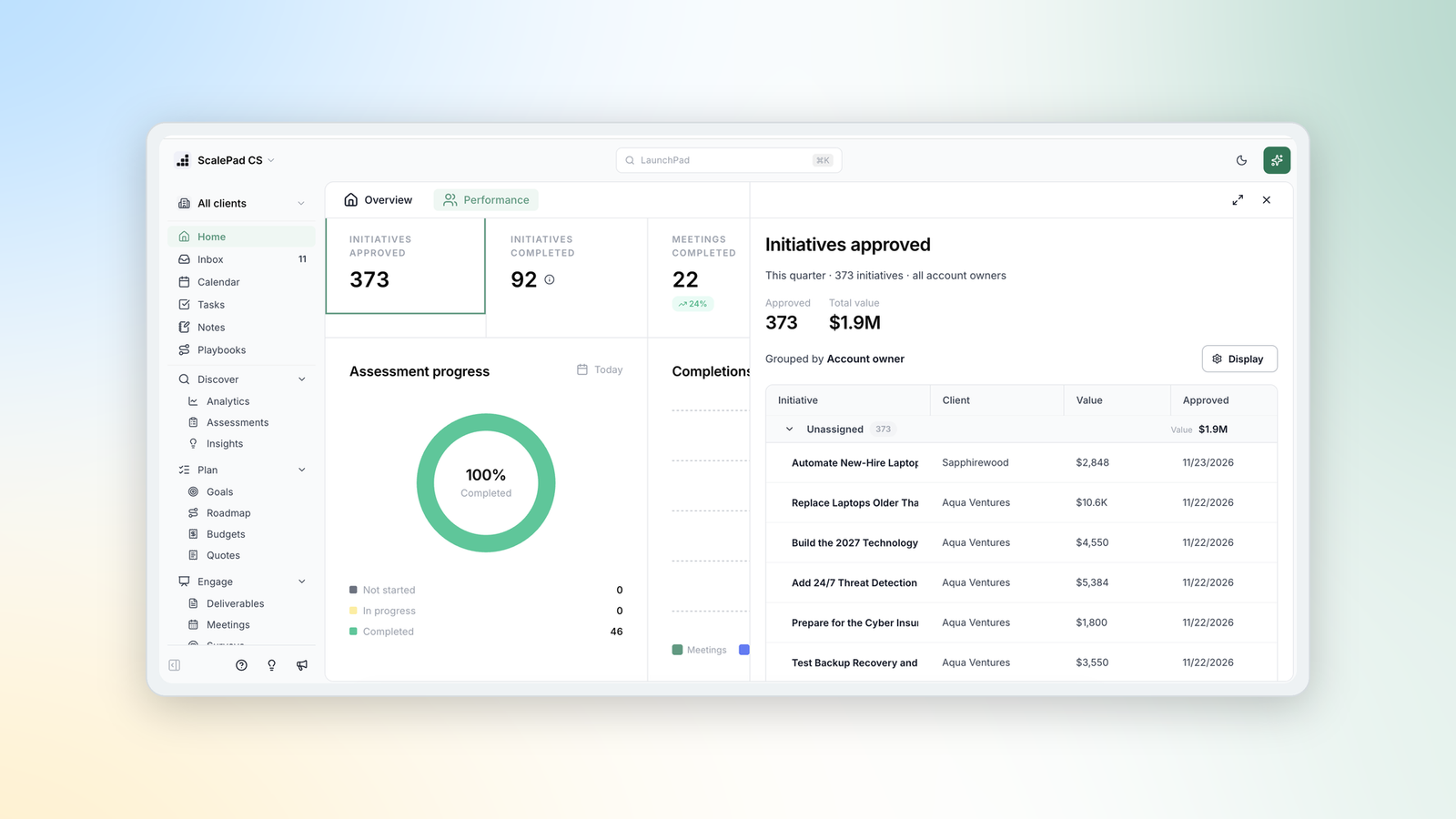
- One page for your team’s results. See team totals for any period: Initiatives approved and completed, Meetings completed, Assessments completed with scores, Goals completed, and Tasks completed.
- Dollar values on roadmap work. See the total value of Initiatives approved and completed, so account management activity connects directly to revenue.
- Trends against the last period. Every total shows how it compares with the previous period, so you can tell at a glance whether delivery is speeding up or slipping.
- Account owners, side by side. The Account Owner report lines up every account owner’s results in one table. See who is getting roadmap items approved, who is keeping up with meeting cadence, and who hasn’t run an assessment this quarter.
- Slice it the way you run your business. Group results by account owner, segment, vertical, tag, or group. Sort by any figure, and hide the columns you don’t need.
- The work behind every number. Click any figure to see the Initiatives, Meetings, Assessments, and Goals behind it, then open any item for the full detail.
- Flexible time periods. Choose this month, last month, this quarter, last quarter, year to date, or a custom range.
Why it matters for your account management program
Strategic services are where MSPs grow, but they are also the hardest to measure. Without a shared scoreboard, it’s hard to coach, hard to spot who needs help, and hard to show the business what the program generates.
Because Initiatives, Meetings, Assessments, Goals, and Tasks all live in ScalePad CS, the Performance Dashboard has the numbers the moment the work is done. There is no extra data entry and no end-of-month report building. That gives you:
- Faster team check-ins. Start your Monday stand-up with the data on screen instead of going around the room for updates, then go straight to where help is needed.
- Coaching grounded in facts. Drill from any number to the specific clients and work behind it, so every conversation is about real accounts, not impressions.
- A clear story about value. Show leadership the dollar value of roadmap work approved and delivered, period over period. That supports internal planning, compensation conversations, and the case for investing in your vCIO program.
- Even coverage across your client base. Check whether top-tier clients are getting the meeting cadence they pay for, or whether healthcare clients are getting their compliance assessments.
The Performance Dashboard gives leaders the clarity to support their team and hold a consistent standard across every account.
How to get started
The Performance Dashboard is available now in ScalePad CS. New to ScalePad CS? Book your demo today.