



Assessments are where MSPs find the gaps: missing MFA, unsupported hardware, no backup testing, an expired policy. But finding the gap is only half the job. After every assessment, someone has to go back through the results, decide what each red answer means, and create the ticket, roadmap item, or task to fix it by hand. On a long assessment, that’s hours of repetitive work, and it’s exactly where follow-through slips. Automated Assessment actions close that gap. Decide once what should happen when an answer comes back, and every completed assessment produces its own follow-up.
What’s new
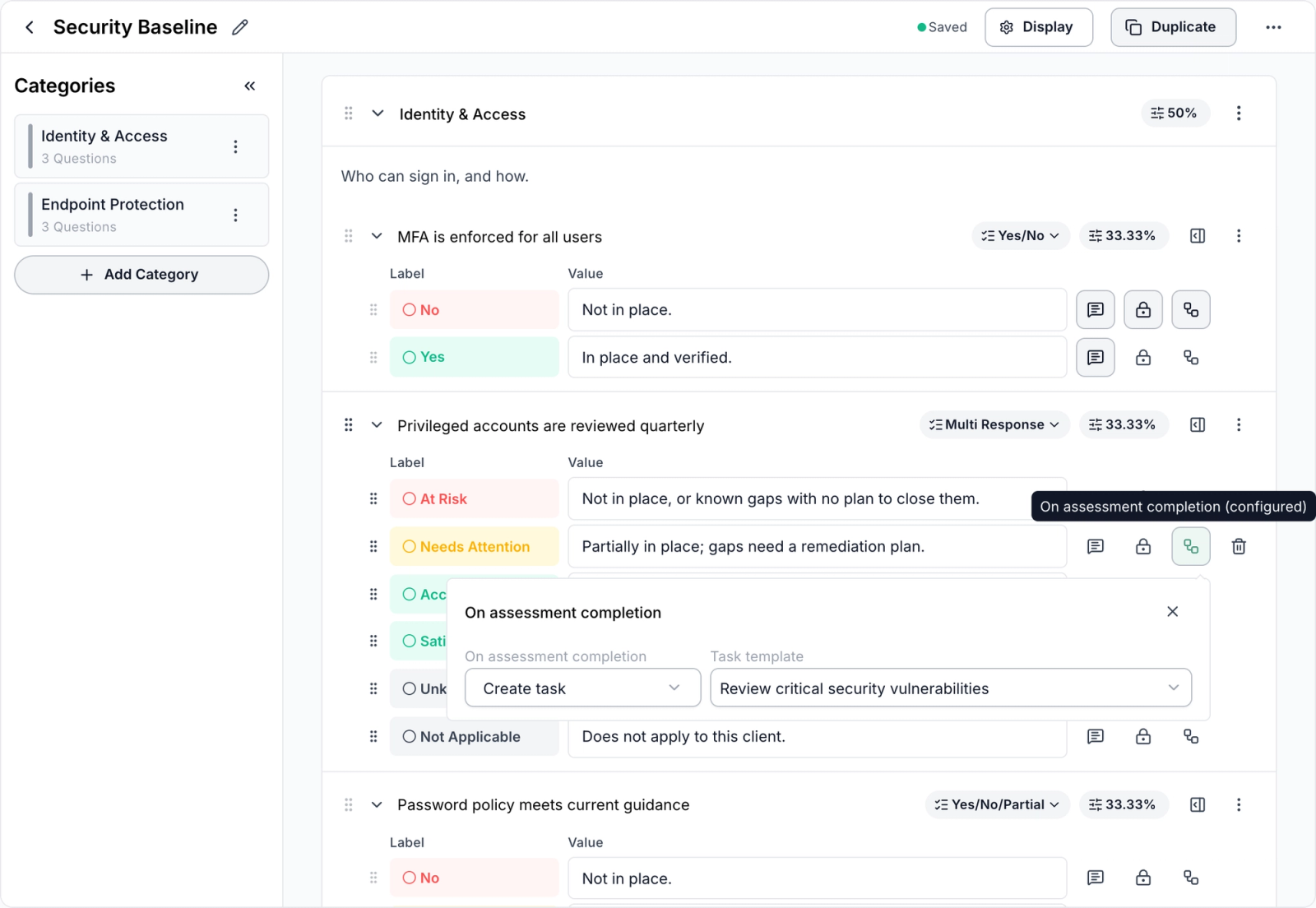
- Actions on any answer. In the Assessment Type editor, attach an action to any answer. When an assessment is completed with that answer, the work is created automatically.
- Three kinds of follow-up work. Choose a Ticket Template to send a PSA ticket with board, type, priority, and more already set. Choose an Initiative Template to add an Initiative to the client’s roadmap. Choose a Task Template to create a Task in ScalePad CS.
- Linked back to the question. Every ticket, Initiative, and Task is linked to the assessment item that created it and is visible in the assessment results, so the “why” is never lost.
- No duplicate work. Completing an assessment again won’t create the same work twice for the same item.
- Set up right where you build. A searchable template picker sits in the answer row, alongside the public and internal comment editors.
- Tickets you can trace. Tickets created from assessments show up in the new Tickets & Opportunities Register, linked to their assessment question.
Why it matters for your assessment program
Automated Assessment actions turn assessments from a reporting exercise into an engine for the business. Gaps become scheduled work, scheduled work becomes roadmap items, and roadmap items become revenue. It happens consistently across every client and every account manager, without anyone rebuilding the plan by hand. That gives you:
- A roadmap that builds itself. A client answers “No” to “Is MFA enforced for all users?” and an “Implement MFA” Initiative lands on their roadmap, linked to the question. The QBR roadmap is ready before the vCIO sits down to prepare.
- Faster fixes from the service desk. Quick fixes go straight to your PSA. A “No” on “Are backups tested monthly?” creates a ticket with the right board, type, and priority, with no retyping and no handoff email.
- Nothing falls through the cracks. For answers that need a person to follow up, such as confirming a cyber insurance renewal date or requesting an updated vendor list, a Task Template assigns the work in ScalePad CS.
- One standard for the whole team. Actions live on the Assessment Type, so your best-practice response to each finding is built in. New account managers deliver the same follow-up as your most experienced vCIO from day one.
How to get started
Automated Assessment actions are available now in ScalePad CS. New to ScalePad CS? Book your demo today.