

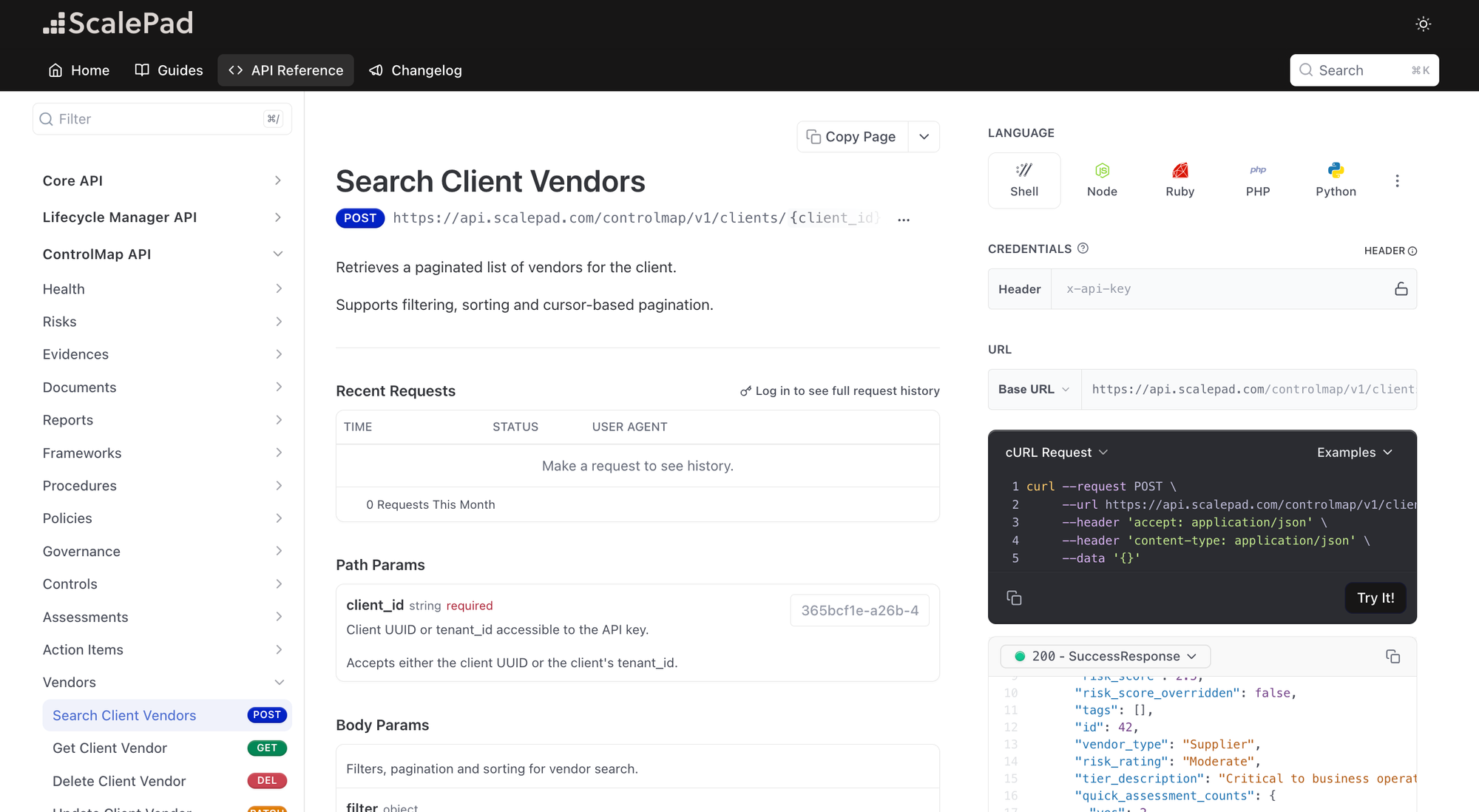
The ControlMap Public API now includes Vendor Management endpoints. Your team can build a vendor review workflow that finds high-tier vendors with gaps in their SOC 2 or contract flags, retrieves the documents on record, and keeps vendor records current from your own tools.
Vendor risk is a standard audit focus, from SOC 2 vendor risk management (CC9.2) to ISO 27001 supplier relationships (Annex A 5.19 to 5.22). This release also adds detail to the objective, risk, and client health endpoints.
The new endpoints are available now. Here’s what’s changing.
See which vendors need attention
Vendor search returns each vendor’s tier, status, owner, tags, and risk score, with a quick read on where its review stands.
- Narrow the list: Filter by tier, status, owner, tags, risk score, vendor type, or created and updated date.
- Check review progress: Results include Quick Assessment counts for yes, partial, no, and N/A answers.
- Spot gaps: Results also include status flags for SOC 2, contracts, PII, ISO 27001, and SLAs.
Get the full review, documents included
Pull the detail behind any vendor in your search results. Every document comes back with a signed download link, so your team or an AI agent can retrieve a SOC 2 report or contract without opening ControlMap.
| Call | What it returns |
|---|---|
| Get a vendor | Description, contacts, linked risks, and the documents and links stored against the vendor |
| Get a vendor’s Quick Assessment | Each question’s answer, notes, and answer date, with the documents attached to that question |
| Vendor risk assessments | Each assessment and the status of its send-outs |
Keep vendor records current
Changes your team makes through the API show up in ControlMap:
Also added to the Public API
- Edit objectives across frameworks: Update objectives in place and map them to crosswalk objectives across compliance programs, with bulk unmapping by program.
- See sub-objective detail: Objective responses include sub-objectives with their answers, notes, RACI assignments, and linked action items.
- Track policy versions: Policy responses include their sections, each with its major and minor version.
- See the full risk score: Risk responses include inherent, current, and target scoring with impact, likelihood, score, and label, plus mappings and tags. Risk search adds more filters and sort options, and a new lookup returns the available risk categories.
- Show posture over time: Client health returns daily history over a date range, so you can show a client how their posture has moved over a quarter or a year.
- Use the ID you already have: Every client path accepts your own tenant ID as well as the ScalePad client ID.