


When a prospect, insurer or auditor sends one of your clients a security questionnaire, the Trust Center is where you point them. It has been rebuilt in the new ControlMap experience, so that page can sit on your client’s domain, carry their branding, and give visitors what they need without a chain of emails.
What’s new
- Your client’s own domain. Serve their trust centers from a subdomain they own, such as trust.clientdomain.com. The security certificate is issued and renewed automatically.
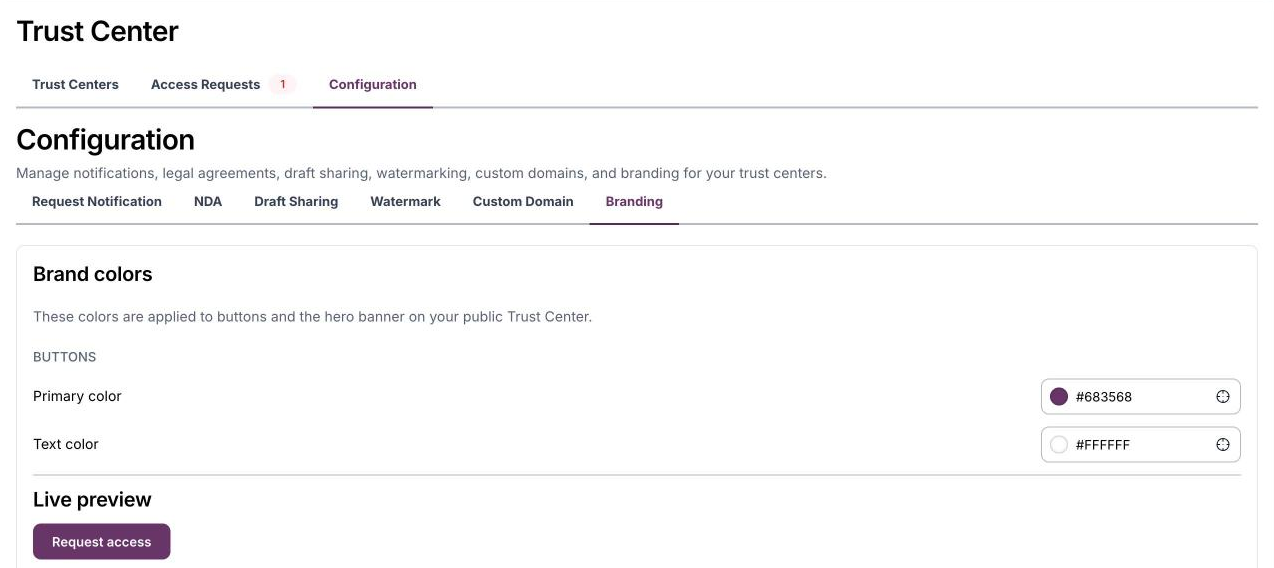
- Their branding. The client’s logo and brand colors carry across the public Trust Center, private trust pages and the NDA screen. The logo comes from the client’s company profile, and you set the button and hero banner colors with a live preview.
- Public and private, side by side. One public Trust Center for everyone, plus private trust pages for a specific prospect, auditor or partner.
- More for visitors to read. Add subprocessors from your vendor list, an FAQ library, controls grouped by control family, and a custom content section for anything else.
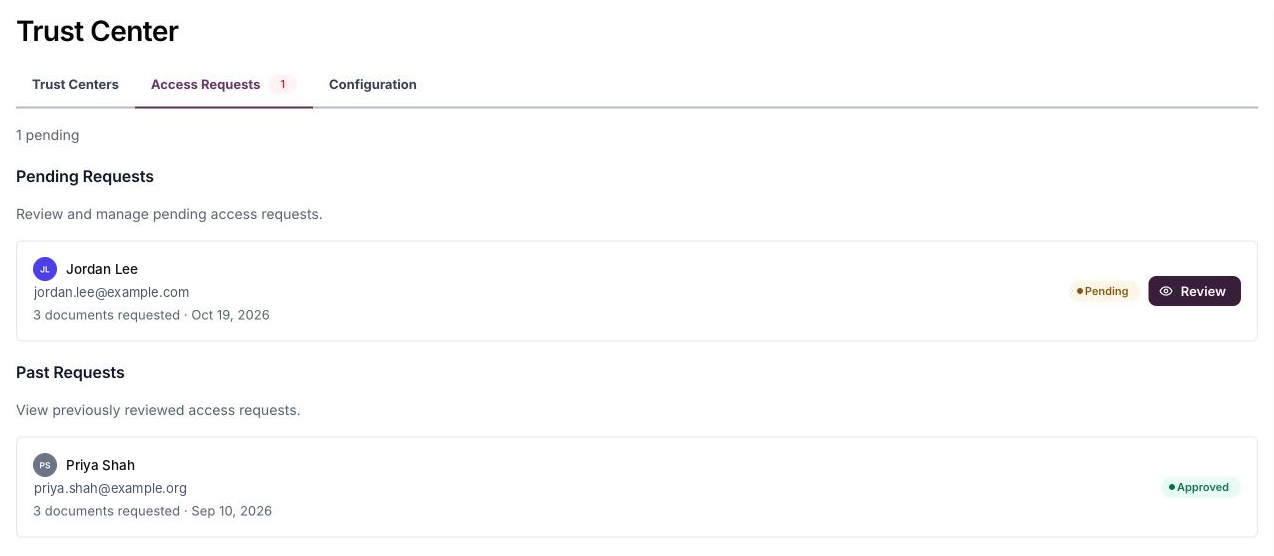
- Access requests in one tab. See what each visitor asked for, then approve, deny, send the documents, or create a private trust page for them in one step.
Why it matters for your compliance service
Most compliance work happens out of sight. The Trust Center is the part your client’s customers see. When it sits on their domain and answers the common security questions up front, your client looks ready for enterprise buyers, and the work you deliver becomes something they can point to.
How to get started
The rebuilt Trust Center is available now in ControlMap Pro, in the new ControlMap experience.