

When a client needs a regional standard, client-specific framework, or internal security baseline that ControlMap does not already include, you can now import or build it yourself and use it across their compliance program.
Every client’s compliance needs are different. One may need a regional standard that is not widely used outside its market. Another may be working toward an industry-specific requirement or a newer standard that is changing quickly. Your MSP may have its own security baseline that it wants to assess and apply consistently across clients, or a framework that combines requirements from several standards.
Create the Framework Structure You Need
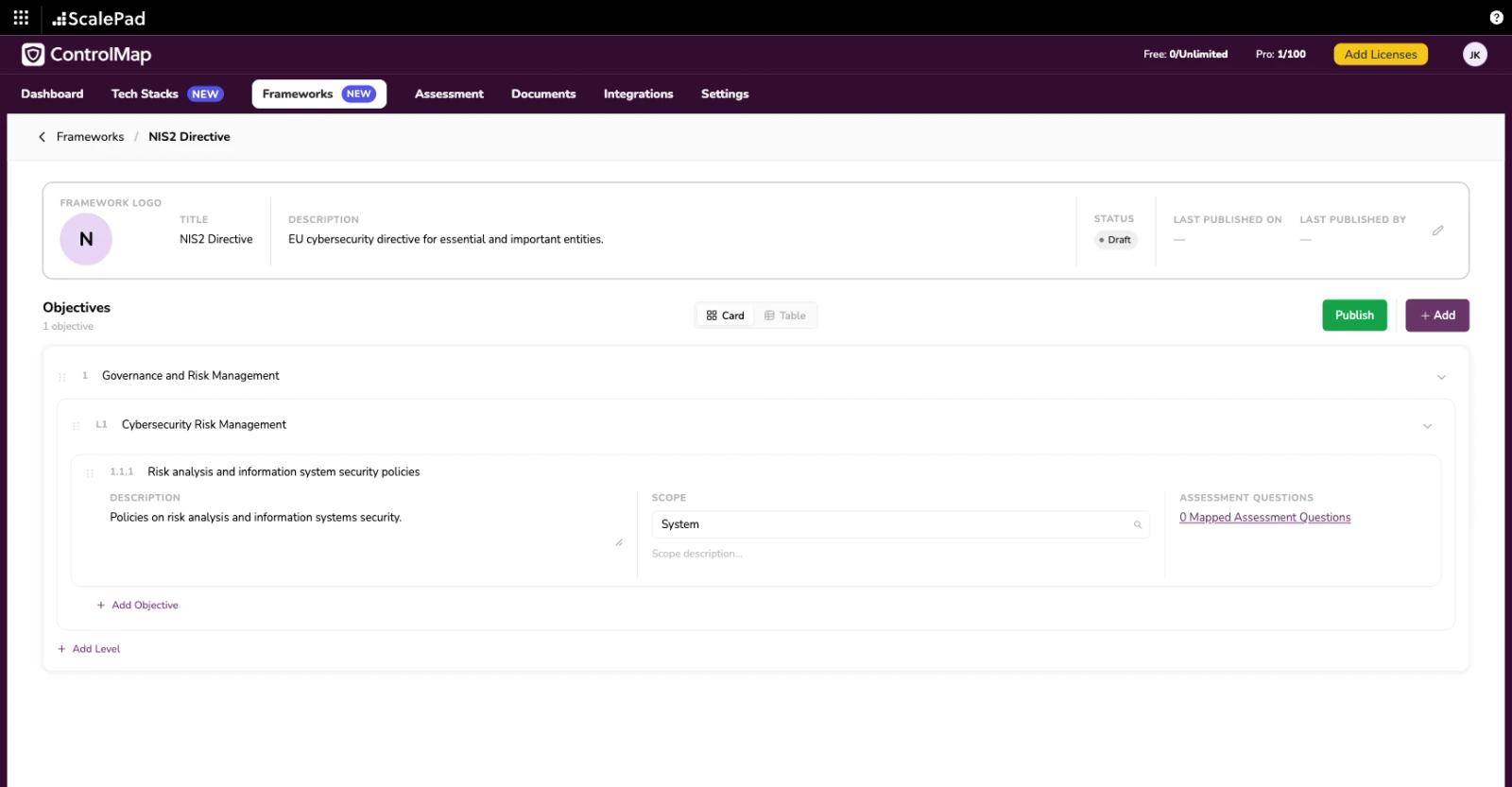
Custom Frameworks gives you a dedicated area in the MSP portal to create and manage your own compliance frameworks.
You can define the framework’s structure, including:
This gives your team a structured framework that can be assessed and shared with clients, instead of organizing the requirements as a collection of individual custom controls.
Import an Existing Framework Faster
Already have a framework in a spreadsheet, including one your client has been using for years?
Download the Custom Frameworks template, add the framework’s structure and requirements, and import it into ControlMap instead of creating every objective individually. This gives you a faster way to bring established standards, client-specific frameworks, and your own methodologies into ControlMap without rebuilding every objective individually. You can also create a framework from scratch directly in the MSP portal.
Map the Right Assessment Questions
A framework is only useful if you have a practical way to assess it.
Search ControlMap’s assessment-question library and map relevant questions to each objective. You can also use the custom assessment questions your MSP has created. This turns the framework’s requirements into an assessment your team can use with clients.
Build It Once, Then Publish It for Clients
Recreating the same framework for every client defeats the purpose of managing compliance from a multi-tenant platform.
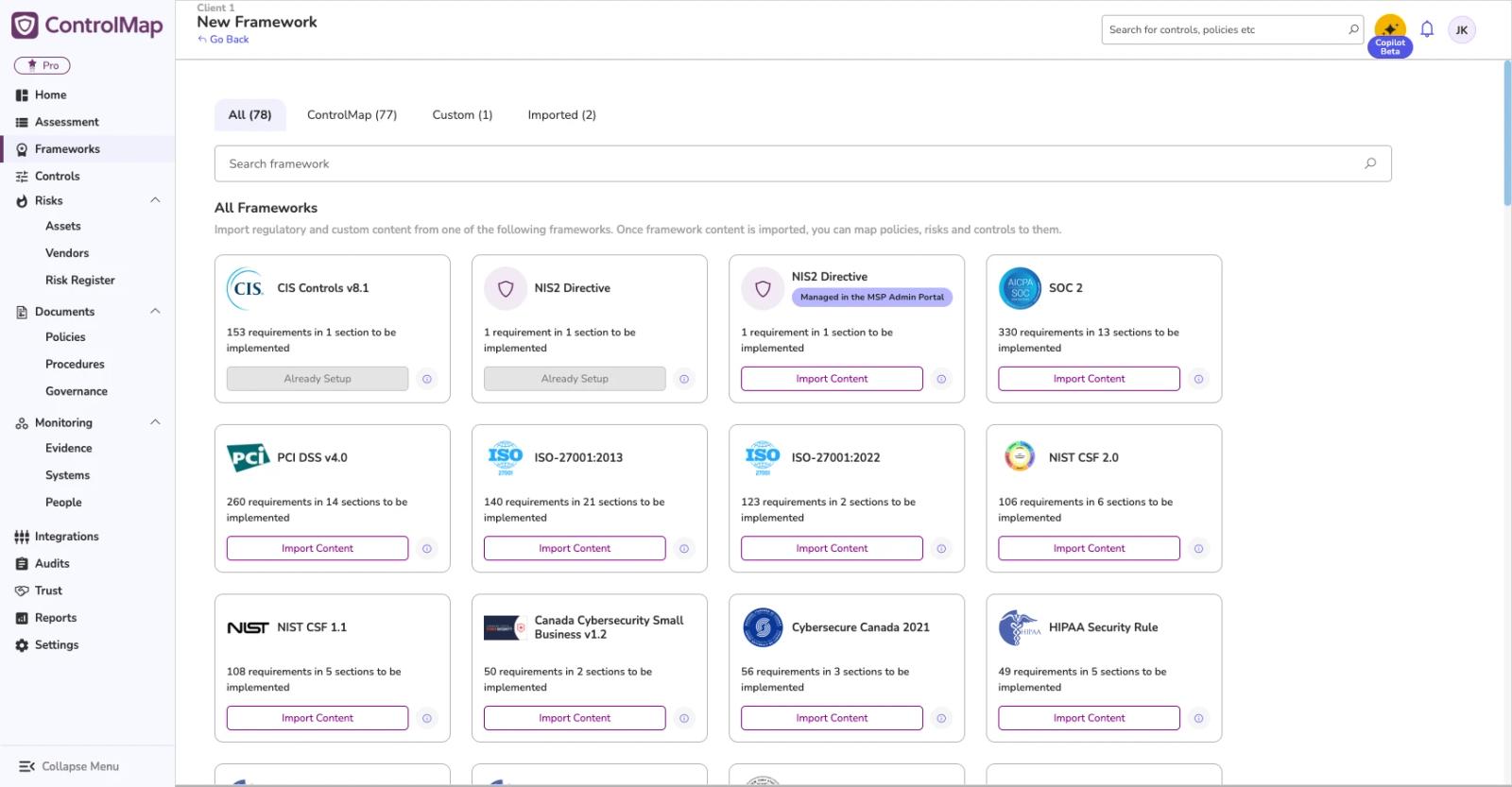
Once you have created a Custom Framework, publish it from the MSP portal to make it available for clients to import. It will appear alongside the standard frameworks already available in ControlMap. When requirements change, update the framework and publish it again. You can overwrite the existing version for clients that have already imported it or publish a new version that they can adopt when they are ready.
Your MSP owns and maintains the frameworks it creates or imports. ControlMap will continue to maintain the standard frameworks included natively in the platform.
Why We Built Custom Frameworks
ControlMap includes more than 60 compliance frameworks, but no framework library can cover every regional standard, industry requirement, client-specific framework, or security baseline an MSP develops for its services.
Partners have told us they need a way to support those requirements without waiting for each framework to be added to ControlMap or rebuilding the same methodology for every client. Custom Frameworks gives your team that flexibility. You can bring the frameworks you already use into ControlMap, maintain them as requirements change, and reuse your work across the clients you manage.
Available Now
Custom Frameworks is available now from the Frameworks area in the ControlMap MSP portal. Existing partners can log in to import an existing framework or create one from scratch, map assessment questions, and publish it for clients to import.
For step-by-step setup instructions, visit the ControlMap Help Center.