

SaaS Management and Software Now Available in Deliverables
Two new Deliverable sections are live: show clients how their team really uses SaaS, and where their software estate is falling out of support.
Shadow IT, AI sprawl, and aging software are three of the hardest things to explain in a client conversation — and three of the easiest to put off. Both of these sections turn that data into a page you can walk a client through, then carry it straight into QBR meetings.
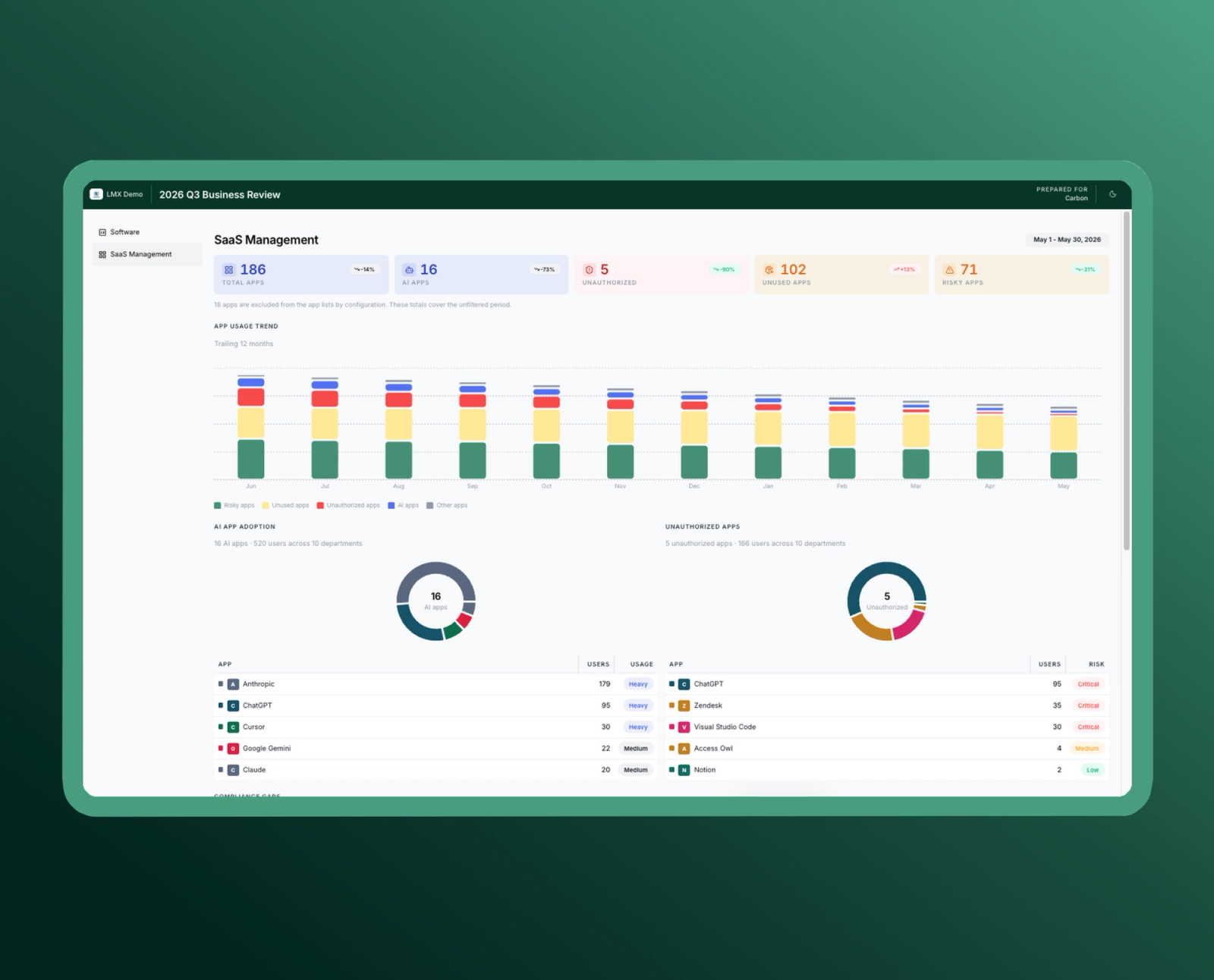
Show Clients How They Actually Use SaaS
Add a SaaS Management section to any Deliverable to show how a client's team uses SaaS over the last week, month, or quarter and turn that visibility into revenue and retention.
Stay in control of what the client sees - exclude specific apps, filter the full app list by approval status, and the section carries through to presentations and PDFs for any client with ScalePad SaaS Management data.
Why It Matters
- Uncover shadow IT and unauthorized apps, then bring the risk to the client with the evidence already on the page.
- Right-size license spend by showing unused and underused apps in dollars-and-seats terms, not as a hunch.
- Lead AI governance conversations with real adoption data, before the client's team decides for them.
- Ground renewal and QBR discussions in behavioral usage instead of spreadsheets or client self-reporting.
Shadow IT and AI sprawl just became a client conversation — and a scoped Initiative.
See Every Software Version's Support Status
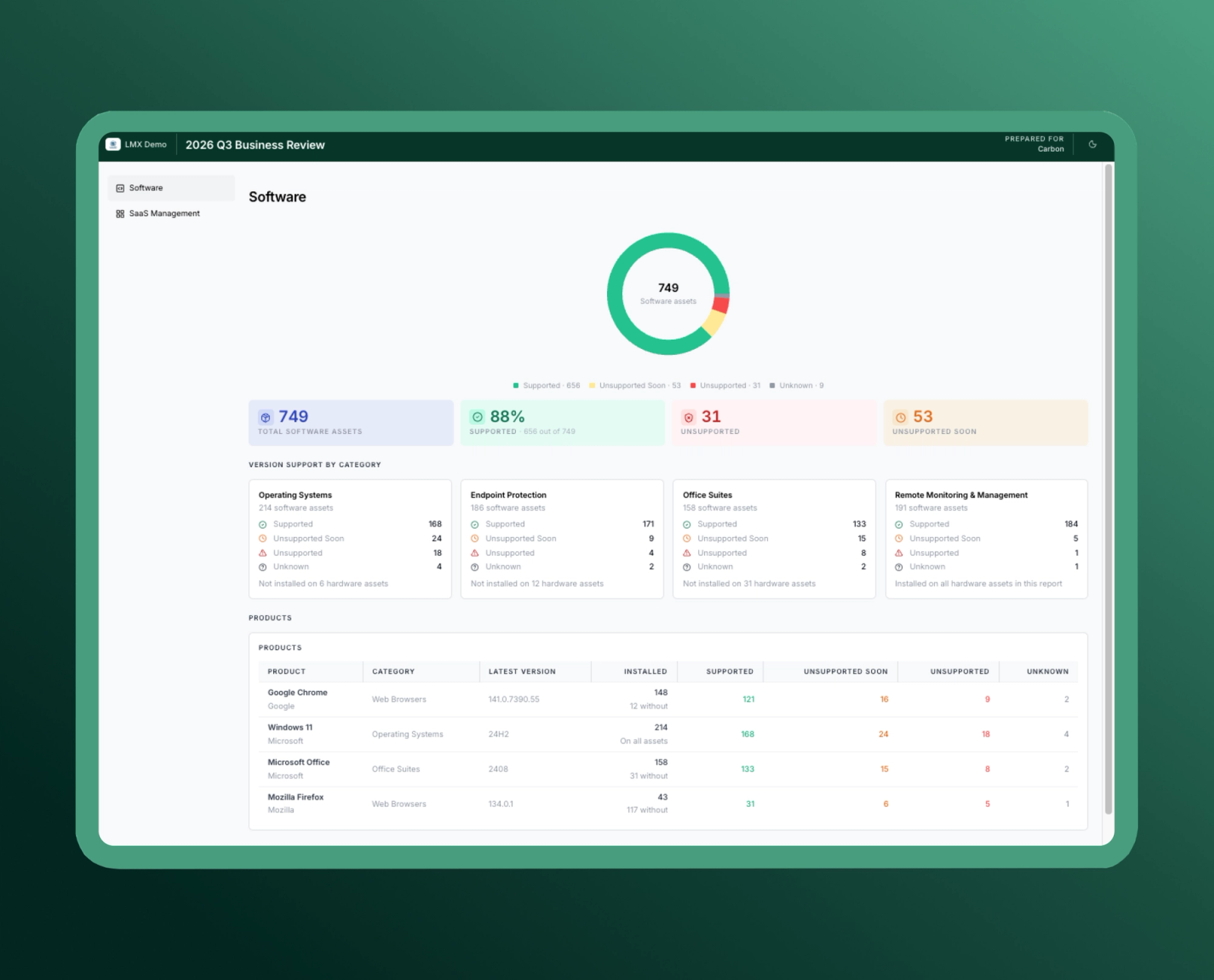
Add a Software section within Deliverables to show the version support status of a client's entire software estate: Supported, Unsupported Soon, Unsupported, and Unknown assets.
Support is broken down by category including Operating Systems, Endpoint Protection, Office Suites, and RMM and the section flags coverage gaps, such as hardware assets missing endpoint protection. A product-level table then shows each product's latest version, install footprint, and support status.
Why It Matters
Every MSP knows unsupported software is a risk. The hard part is proving it in a way that gets budget approved:
- Make the case visually with support status by category instead of a version list no client will read.
- Catch coverage gaps like hardware assets missing endpoint protection before they become an incident.
- Turn "Unsupported Soon" into next quarter's roadmap, so refresh work is planned, not reactive.
- Use install footprint to scope and price the project accurately the first time.
Why We Built This
The strongest client conversations start with something the client can see. Software risk and SaaS usage are two of the most common reasons a client says yes to a project, but the data usually lives outside the report — in a separate tool, a spreadsheet, or a technician's head.
Bringing both into Deliverables means the evidence is already on the page when the recommendation comes up.
Next Step
New to Lifecycle Manager? See how Deliverables help MSPs turn asset, software, and SaaS data into client-ready business reviews.
Want to see these new capabilities in action? Log into the platform or Book a Demo today.