



We’re thrilled to introduce ScalePad Copilot, an AI-powered assistant designed to transform how MSPs interact with their data and deliver client value. ScalePad Copilot represents a significant leap forward in our mission to turn AI into actionable workflows across your entire stack.
Why we built ScalePad Copilot
In the fast-paced MSP environment, the gap between having data and taking action can often feel insurmountable. ScalePad Copilot bridges this gap by acting as an in-product teammate that understands your business. Built on our revolutionary Model Context Protocol (MCP) and Public APIs, ScalePad Copilot allows you to perform complex cross-stack functions using simple, natural language instead of technical recipes.
What it can do
ScalePad Copilot handles the heavy lifting of data preparation and analysis, as well as automates workflows, allowing you to focus on high-value client relationships. It connects the dots across Lifecycle Manager, summarizing client state, pressure-testing recommendations, surfacing gaps, and preparing practical next moves, moving every account conversation from insights to action.
- Effortless QBR Preparation: Generate comprehensive QBR decks in seconds, complete with data-driven insights.
- Strategic Meeting Talking Points: Build tailored talking points for client meetings based on real-time infrastructure and security data.
- Instant Client Summaries: Get high-level summaries of client environments, highlighting risks and opportunities across the MSP stack.
- Natural Language Workflows: Interact with your integrated tools via public APIs using plain English, making sophisticated automation accessible to everyone on your team.
How it works
ScalePad Copilot acts as an in-product AI assistant that lets users perform complex cross-stack functions using simple, natural language. Copilot can perform multi-step requests and create and execute workflows inside Lifecycle Manager—with the oversight of a human at each step.
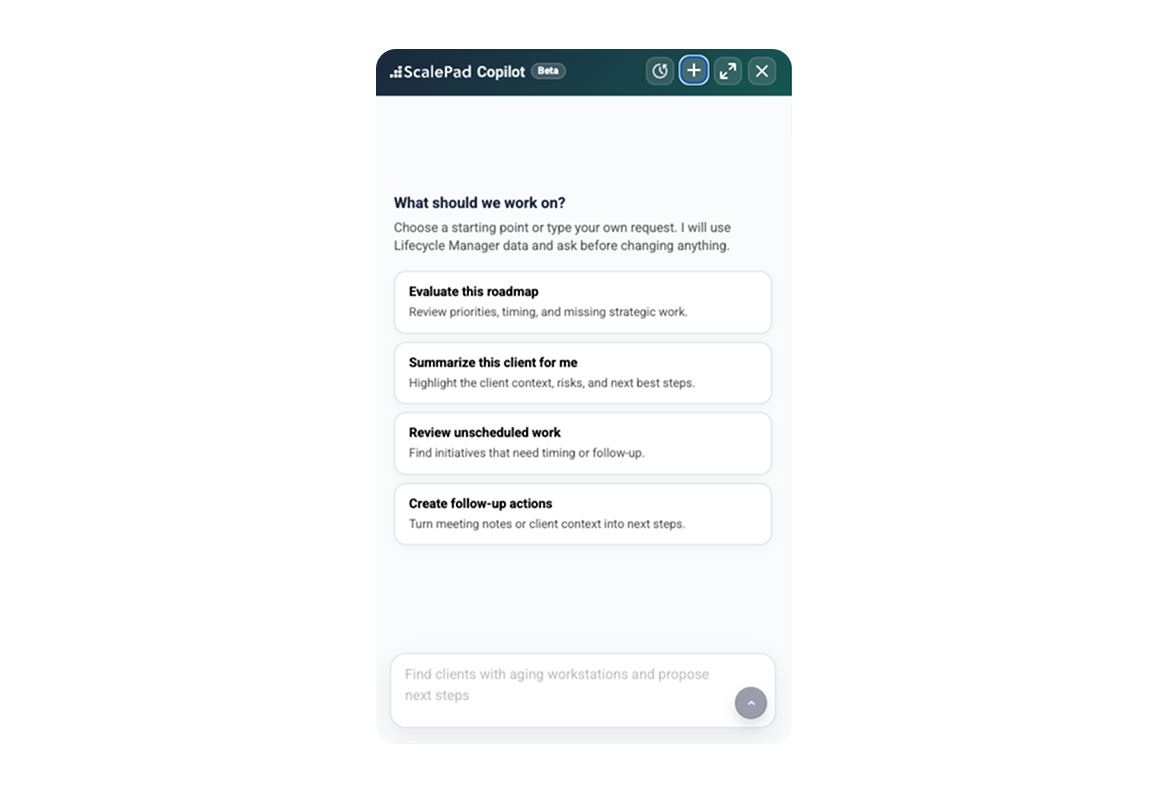
Some suggested prompts to get you started:
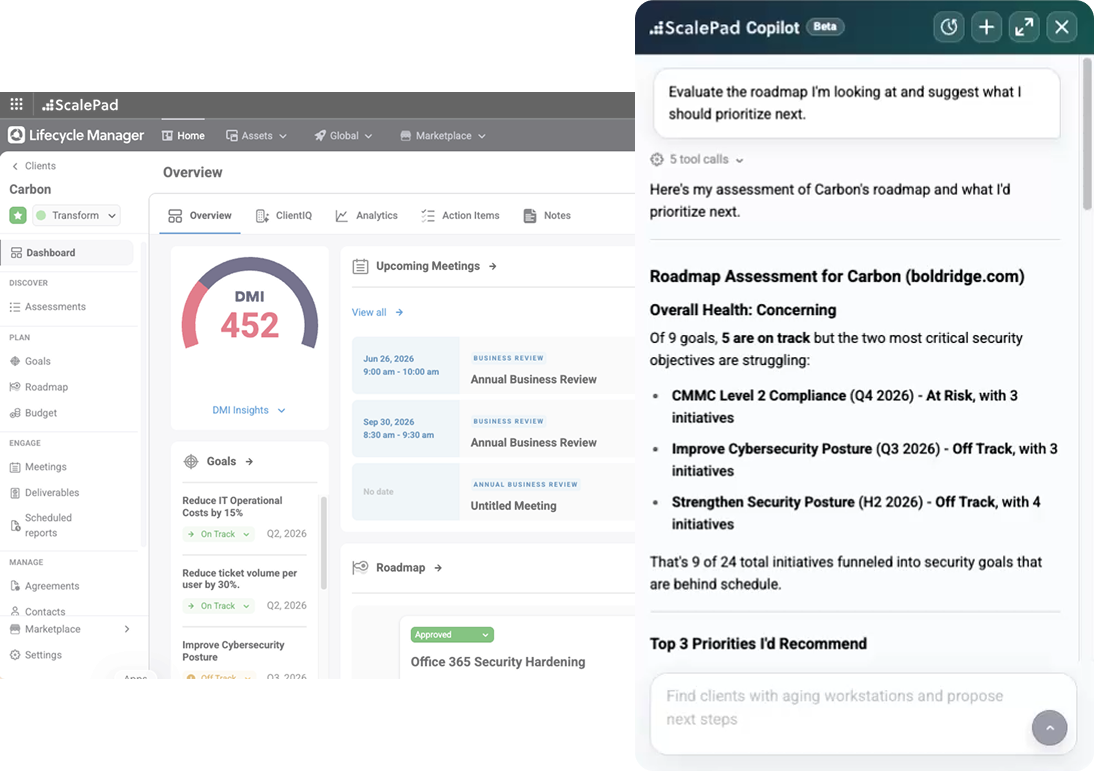
- For strategic client management: “Evaluate the roadmap I’m looking at and suggest what I should prioritize next.”
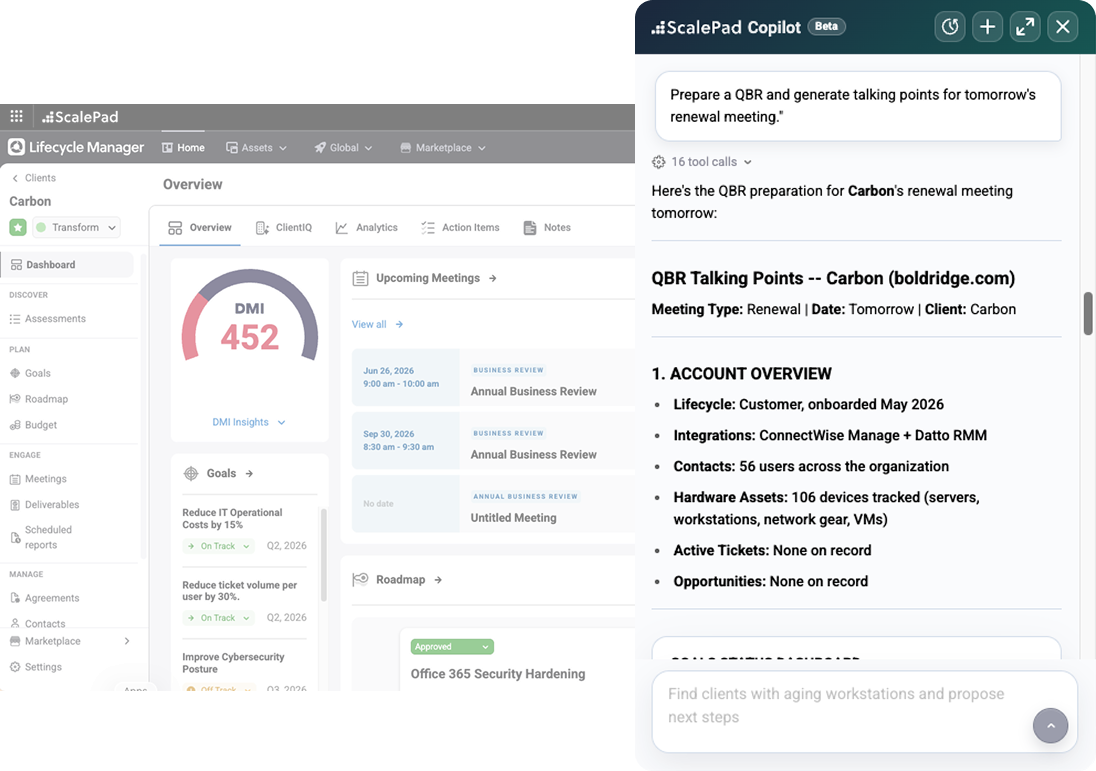
2. For QBR planning: “Prepare a QBR and generate talking points for tomorrow’s renewal meeting with this client.”
How to access
During the open beta period starting June 15th, all ScalePad partners will have unlimited access to Copilot features. This three-month window is designed for you to explore the full range of capabilities without constraints.
Getting started with ScalePad Copilot
Ready to use ScalePad Copilot? Try it now in your Lifecycle Manager app.
Already an existing customer? Learn more in our new FAQ page in the Help Center. If you’re new to ScalePad, book a demo with us and our team will walk you through it.