


01
Create quotes from initiatives
Start a new Quoter quote directly from a Lifecycle Manager initiative.
ScalePad workflows
ScalePad products work together across planning, quoting, backup oversight, and compliance evidence so MSPs can move from insight to action without rebuilding context in another tool.
Workflow Scenarios
Quoter + Lifecycle Manager
Create a quote directly from a Lifecycle Manager initiative and keep the quote linked to the originating client and roadmap recommendation.
Lifecycle Manager and Quoter connect planning with execution so MSPs can turn an approved initiative into an active quote without losing the client context behind the recommendation.
When the workflow starts in Lifecycle Manager, Quoter can use the contacts already associated with that client and attempt to match them against connected PSA records such as ConnectWise or HaloPSA. If no stronger match exists, Quoter falls back to the contact data available from Lifecycle Manager.
The result is a cleaner path from client recommendation to commercial follow-through: less context switching, better visibility, and a tighter connection between roadmaps and revenue.
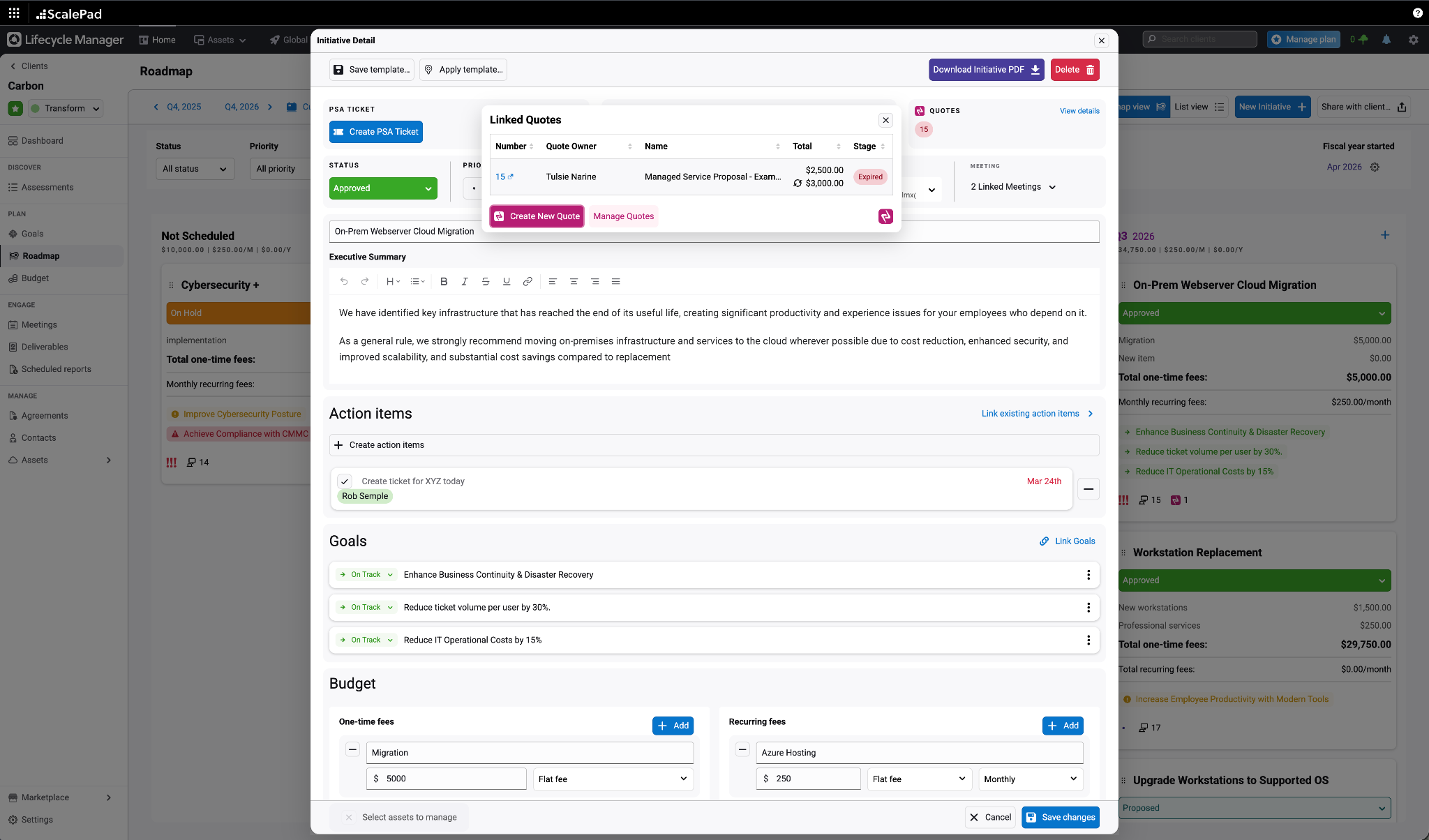
Start a new Quoter quote directly from a Lifecycle Manager initiative.
Use existing Lifecycle Manager client contacts to speed up quote setup.
Automatically link the quote back to the originating initiative after sync.
Next Step
Review the product story, browse related integrations, or map the handoff with the team that owns the next action.